> ## Documentation Index
> Fetch the complete documentation index at: https://docs.humyn.studio/llms.txt
> Use this file to discover all available pages before exploring further.
# Explore
> Investigate raw conversations, cluster patterns, and capture stories
 ## Why Explore
Explore is where researchers and storytellers live. It lets you peel back the AI summaries and get eyes on the conversations themselves—perfect for crafting decks, validating hunches, and finding the quote that seals the argument.
## How the table works
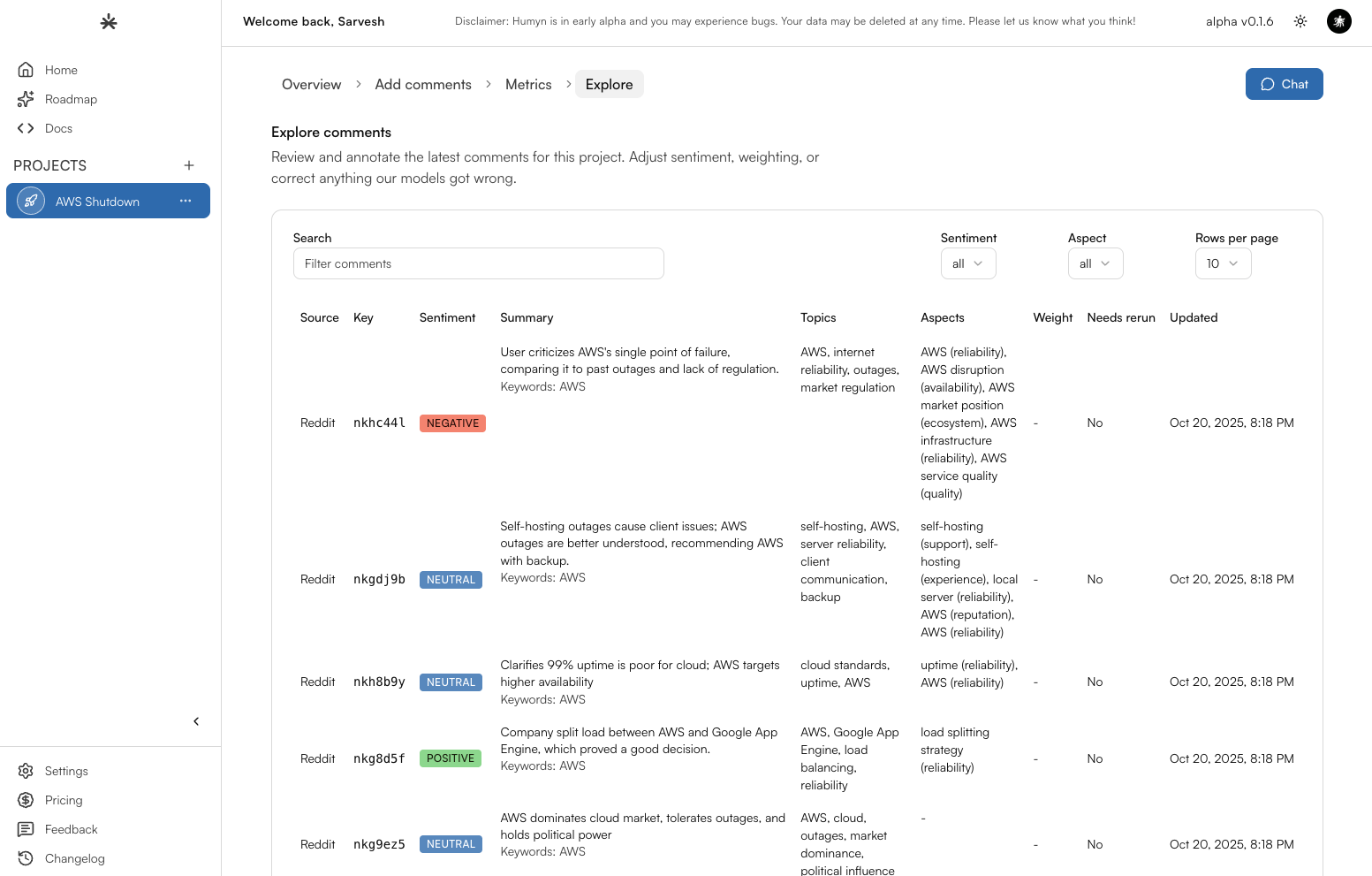
Explore centers on a live table of every curated comment. Each row shows:
* **Topic** — the conversation cluster or theme Humyn assigned.
* **Source** — where the comment came from, whether Reddit, Twitter, or YouTube.
* **Aspect** — the focal dimension of the conversation (e.g., features, usability, price, customization).
* **Weight** — the relative importance Humyn assigns based on engagement and relevance.
* **Date added** — when the comment landed in your workspace.
## Why Explore
Explore is where researchers and storytellers live. It lets you peel back the AI summaries and get eyes on the conversations themselves—perfect for crafting decks, validating hunches, and finding the quote that seals the argument.
## How the table works
Explore centers on a live table of every curated comment. Each row shows:
* **Topic** — the conversation cluster or theme Humyn assigned.
* **Source** — where the comment came from, whether Reddit, Twitter, or YouTube.
* **Aspect** — the focal dimension of the conversation (e.g., features, usability, price, customization).
* **Weight** — the relative importance Humyn assigns based on engagement and relevance.
* **Date added** — when the comment landed in your workspace.
 Use filters for sentiment, aspect, keywords, or time ranges to focus the grid on the moment that matters.
## Detailed Comment Analysis
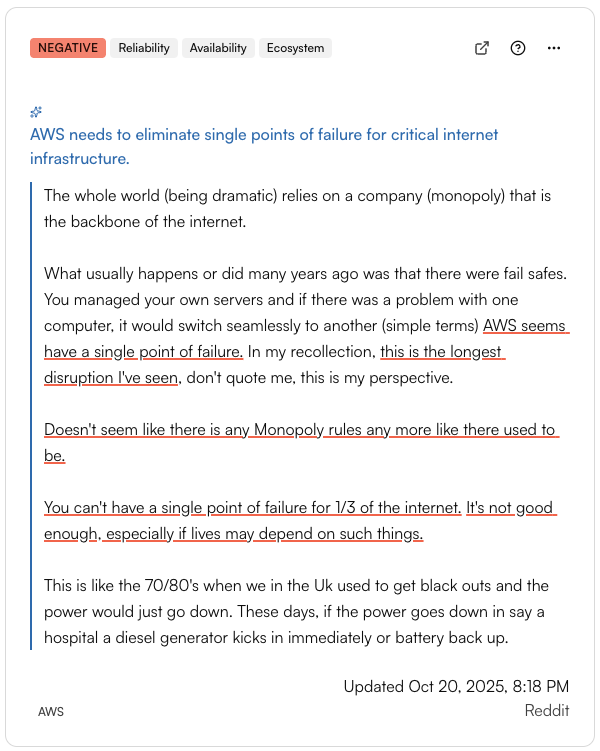
Every comment card surfaces the metadata you need to act fast:
* Keywords that triggered the match, so you know which prompt or aspect pulled it in.
* Inline sentiment highlights that pinpoint praise, blockers, and questions line by line.
* A concise AI recap that captures the takeaway in one sentence.
* A direct source link so you can jump into Reddit, Twitter, or YouTube for full context when needed.
Use filters for sentiment, aspect, keywords, or time ranges to focus the grid on the moment that matters.
## Detailed Comment Analysis
Every comment card surfaces the metadata you need to act fast:
* Keywords that triggered the match, so you know which prompt or aspect pulled it in.
* Inline sentiment highlights that pinpoint praise, blockers, and questions line by line.
* A concise AI recap that captures the takeaway in one sentence.
* A direct source link so you can jump into Reddit, Twitter, or YouTube for full context when needed.