> ## Documentation Index
> Fetch the complete documentation index at: https://docs.humyn.studio/llms.txt
> Use this file to discover all available pages before exploring further.
# Metrics
> Translate Humyn signals into the numbers leaders expect
## Why Metrics exists
Metrics turns Humyn’s qualitative signals into leader-ready scorecards. It gives you north-star indicators you can bring to board decks, roadmap reviews, and GTM readouts without guessing.
 ## How it works
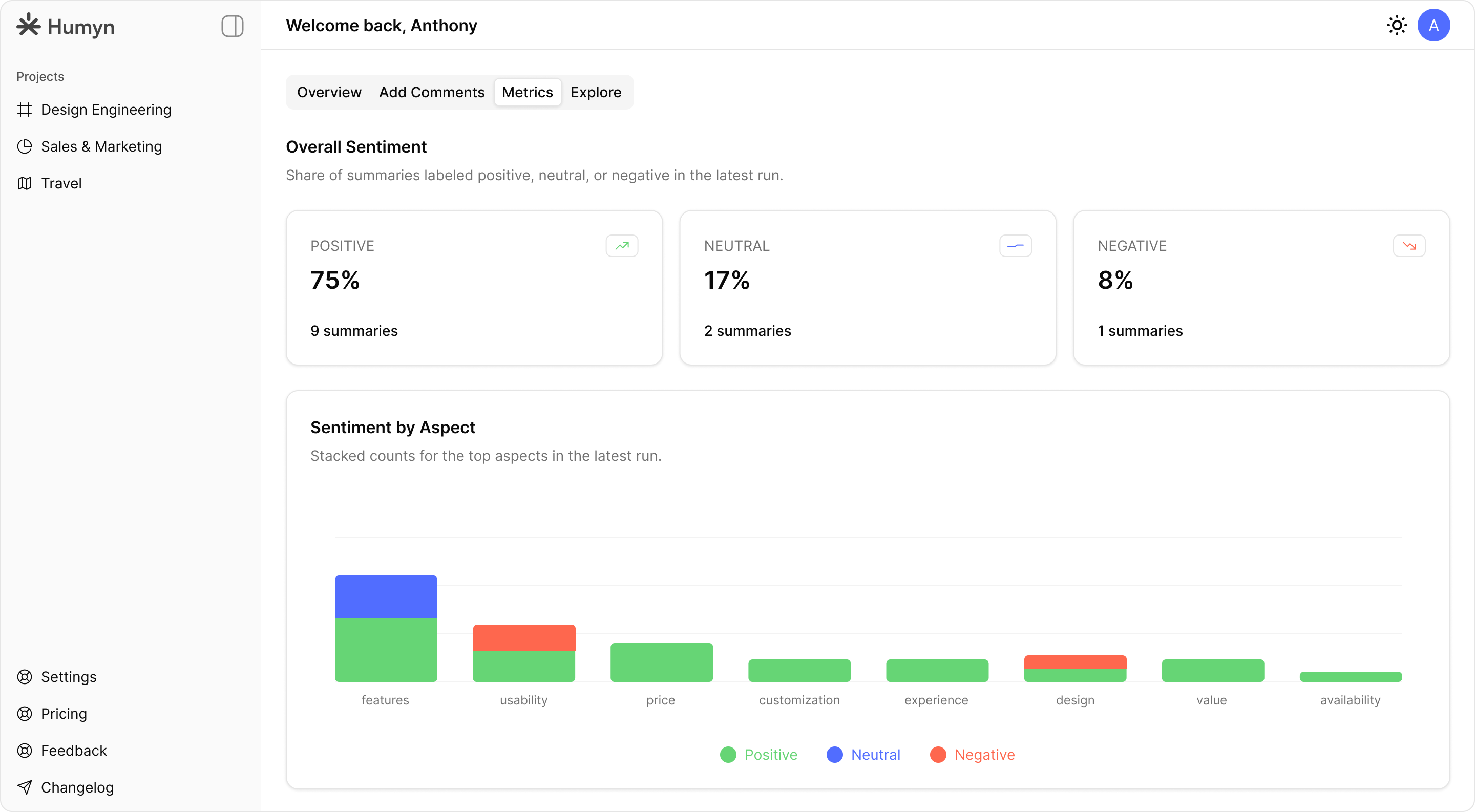
Humyn breaks every dataset into sentiment and aspect-driven slices so teams can see the “why” behind the numbers:
* Sentiment mix — Percent of comments labeled positive, negative, and neutral so you can quantify mood shifts over time.
* Aspect insights — Topic clusters such as Features, Usability, Price, and Customization that highlight what people focus on most.
* Linked evidence — Every metric anchors back to supporting quotes so you never lose the context.
## Pair Metrics with
* The [Dashboard](/core-features/dashboard) for visual pulse checks.
* [Explore](/core-features/explore) to validate anomalies thread-by-thread.
* [Chat with Hue](/core-features/chat-with-hue) for narrative-ready summaries you can paste into updates.
## How it works
Humyn breaks every dataset into sentiment and aspect-driven slices so teams can see the “why” behind the numbers:
* Sentiment mix — Percent of comments labeled positive, negative, and neutral so you can quantify mood shifts over time.
* Aspect insights — Topic clusters such as Features, Usability, Price, and Customization that highlight what people focus on most.
* Linked evidence — Every metric anchors back to supporting quotes so you never lose the context.
## Pair Metrics with
* The [Dashboard](/core-features/dashboard) for visual pulse checks.
* [Explore](/core-features/explore) to validate anomalies thread-by-thread.
* [Chat with Hue](/core-features/chat-with-hue) for narrative-ready summaries you can paste into updates.